POS Management System
A platform to streamline how promotional materials move from suppliers to warehouses and into customer locations
Overview
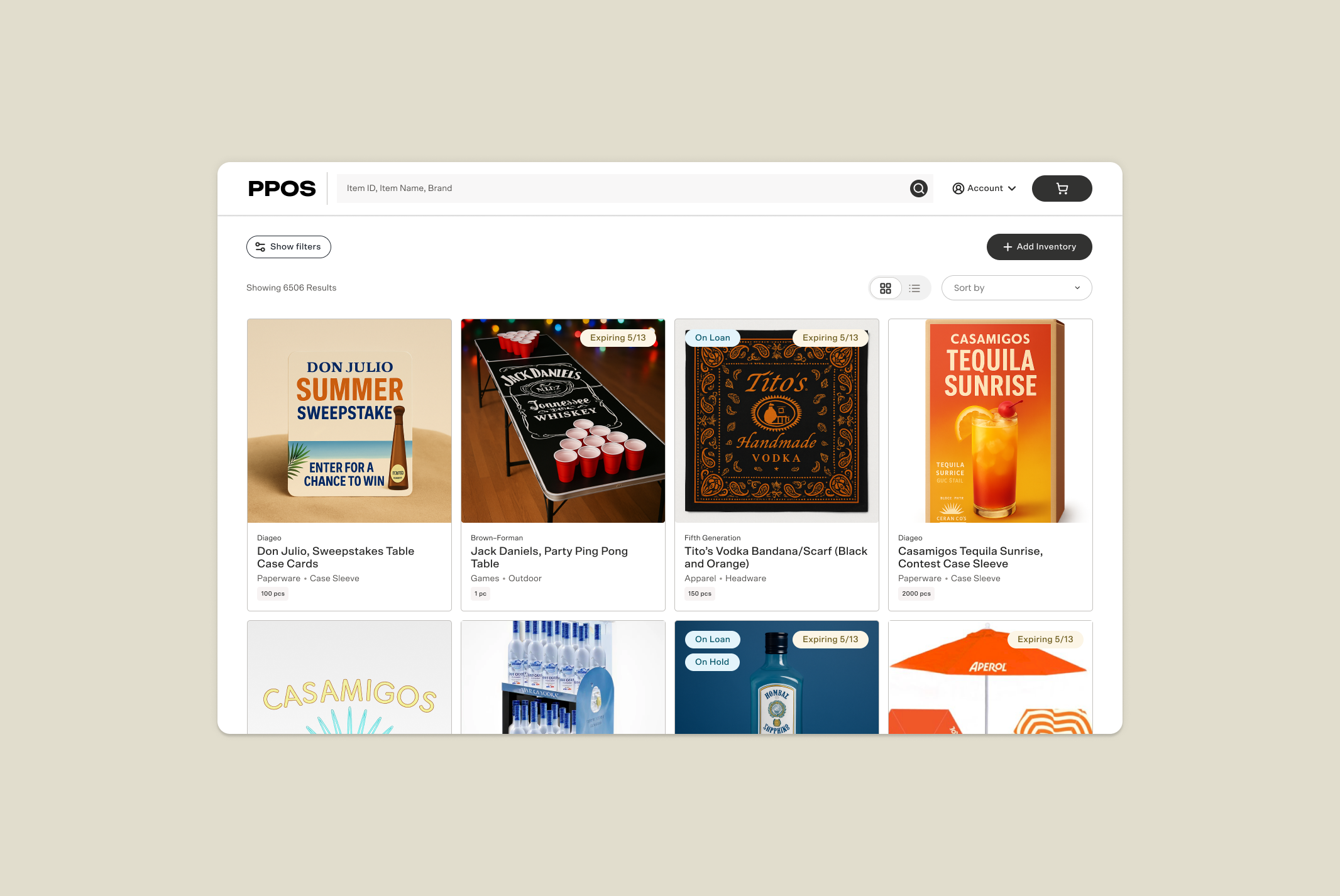
Design and scale an internal platform that streamlines how promotional materials (mugs, umbrellas, signage) move from suppliers through warehouses and out to customer accounts. Reduce friction across the order lifecycle, from intake and inventory browsing to order approval, fulfillment, and shipment. Deliver a unified system for warehouse managers, trade developers, and sales consultants that replaces the current fragmented, manual experience time by half.
My Role
Lead Product Designer owning end-to-end design of the POS management platform. Conducted 14 discovery calls, facilitated a cross-functional ideation workshop, and led two rounds of user testing, independently analyzing qualitative data at each stage.
Outcome
- Delivered a centralized inventory management system to replace fragmented, manual workflows across warehouse, trade development, and sales teams
- Two rounds of user testing with 23 participants across 5 states directly shaped the platform's information architecture, approval flow, and fulfillment experience.
- Led internal workshop with cross-functional team to generate a breadth of solutions
7 Month Design Process
Uncovering the Current Experience
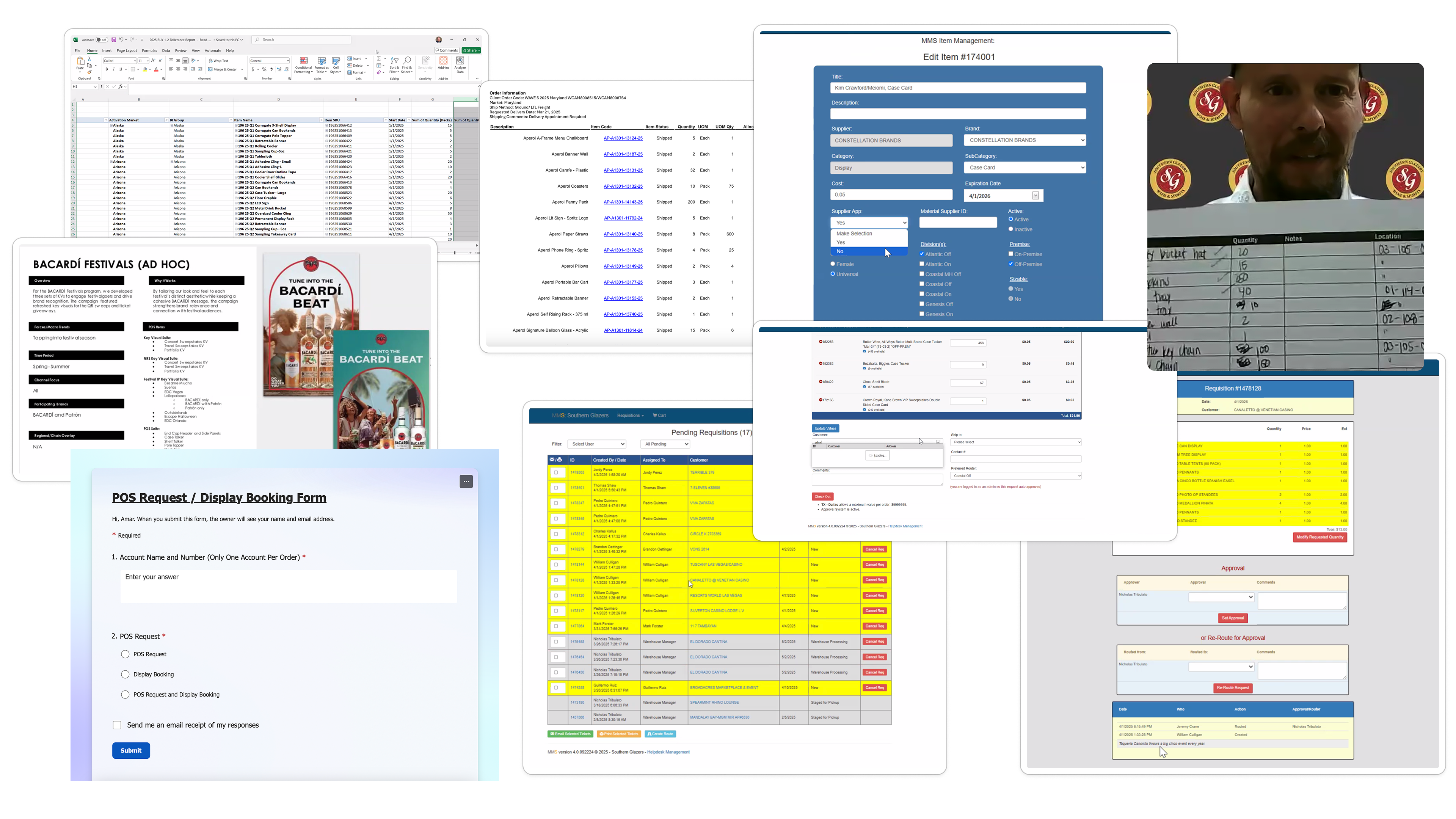
Our team sat in 14+ discovery calls with Warehouse Managers and Trade Devs discussing how they currently work and what they hoped from a new tool to manage the Promotional POS inventory.
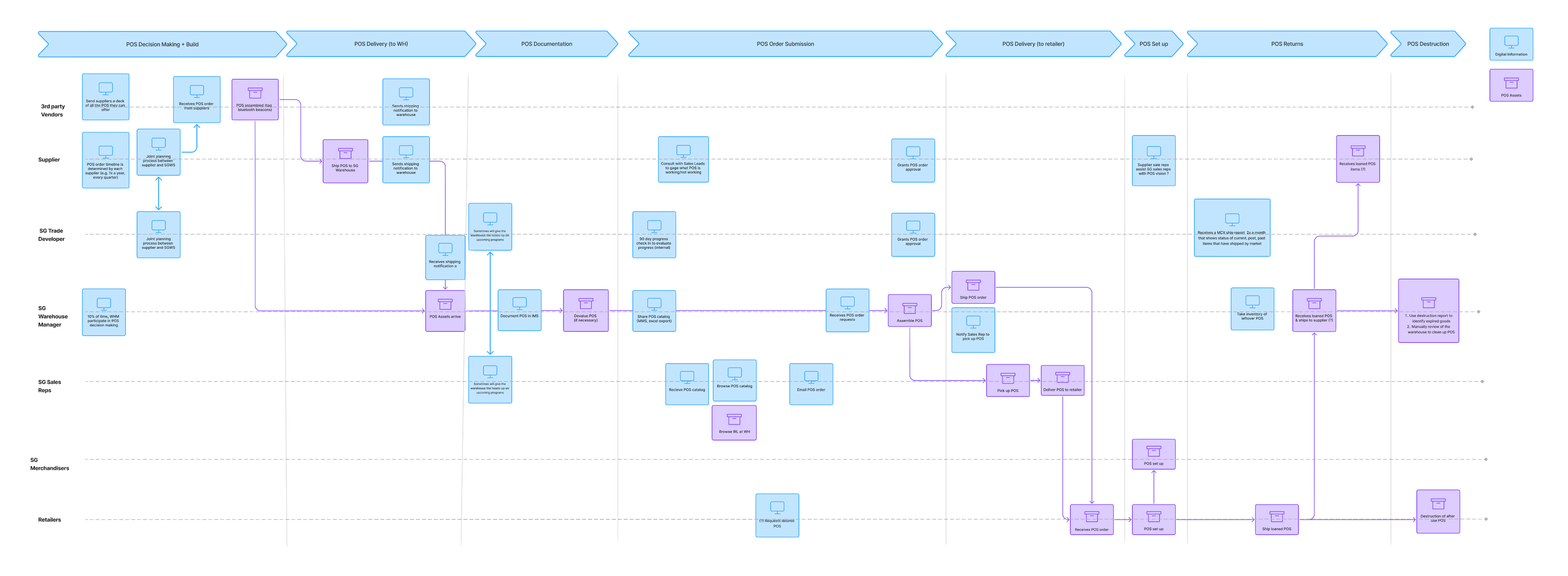
Understanding the movement of physical and digital information
Customer Journey
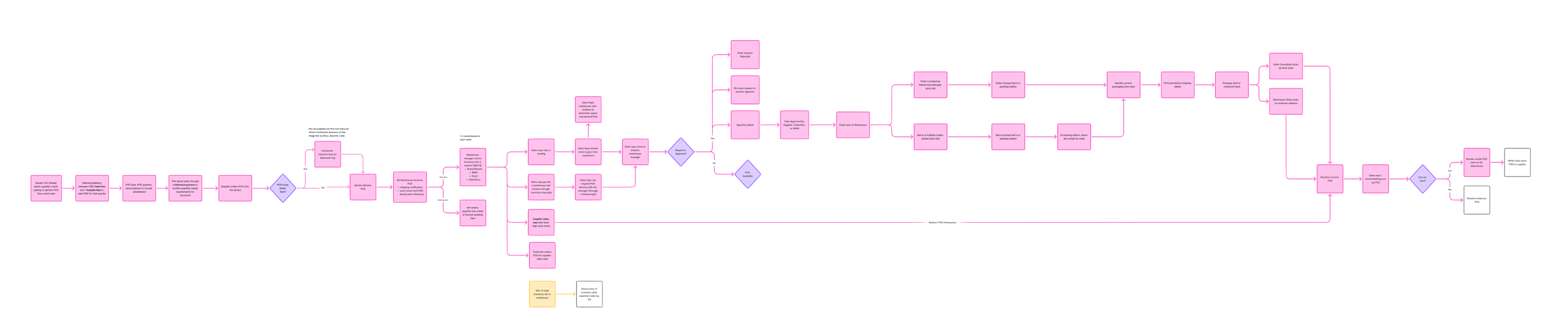
User Flow
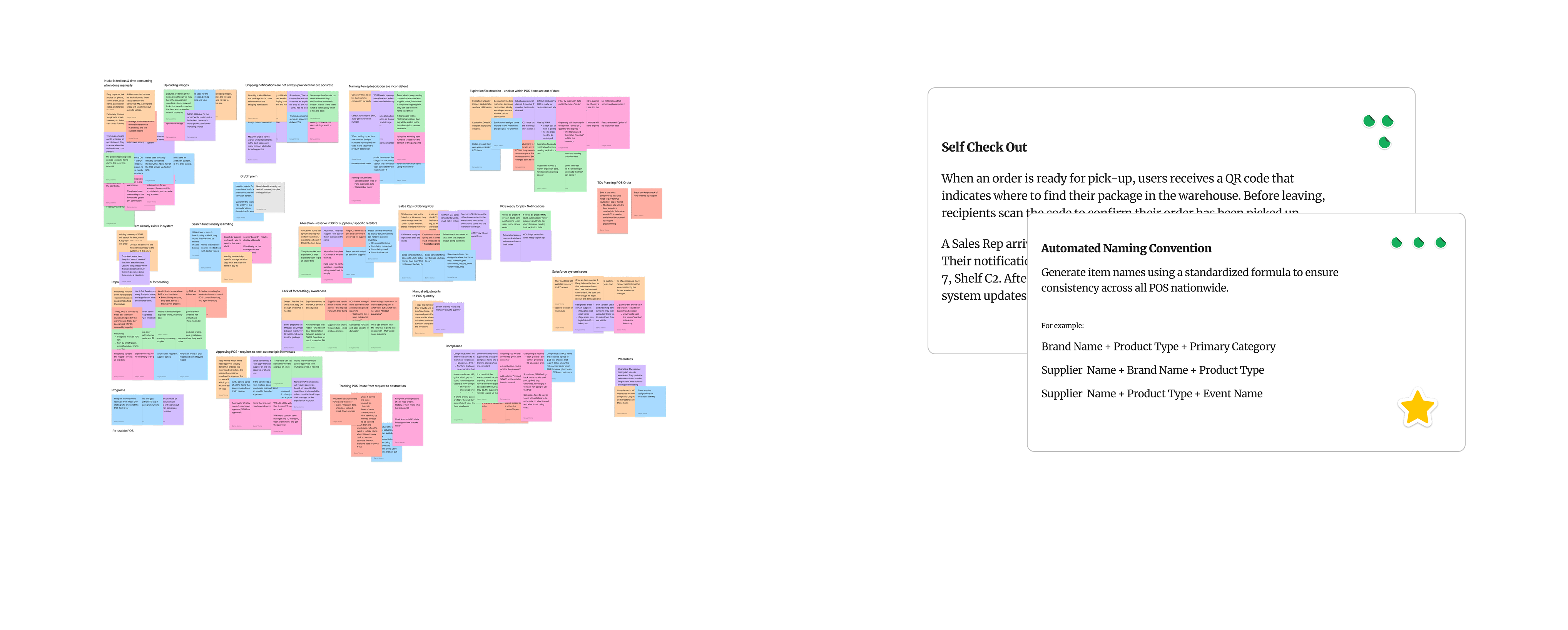
Observations → Thematic Clusters → Concept Cards
Ideation Workshop
I wrote "How Might We" statements for each concept card I pulled out, coupled with key observations. I led a 2.5 hour ideation workshop with the project team to brain dump solutions and features the system could include to target present day pain-points Warehouse Managers face.
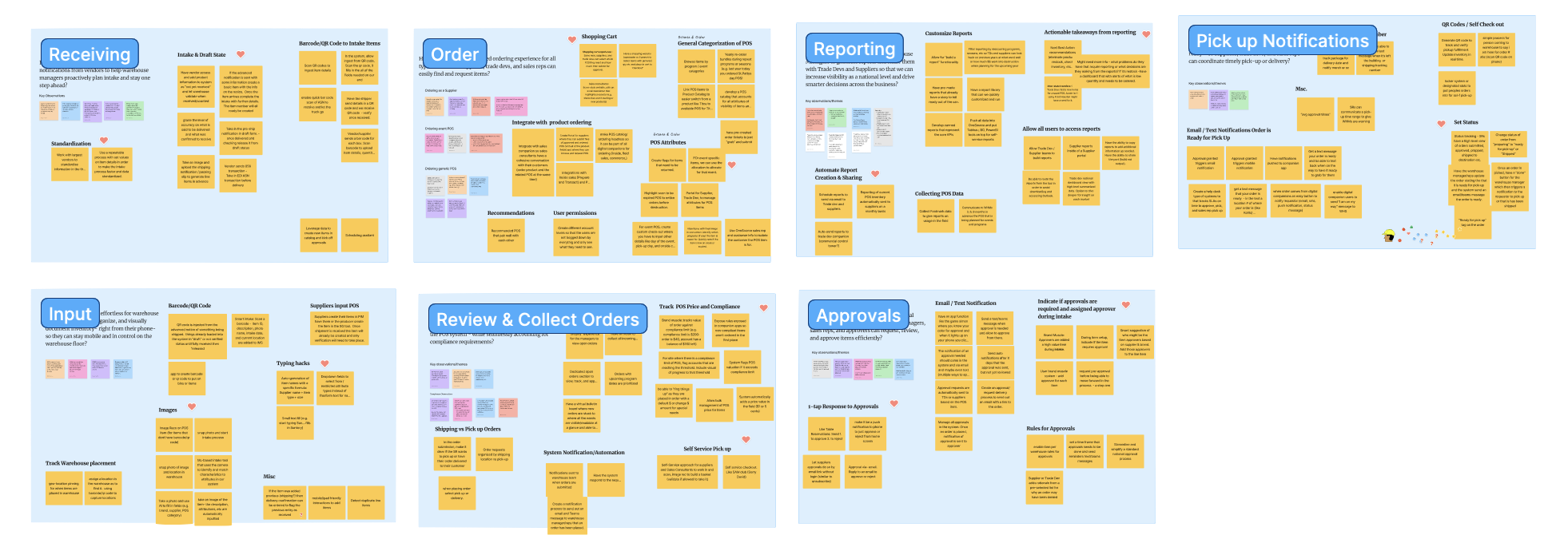
Designing concepts from mild to wild
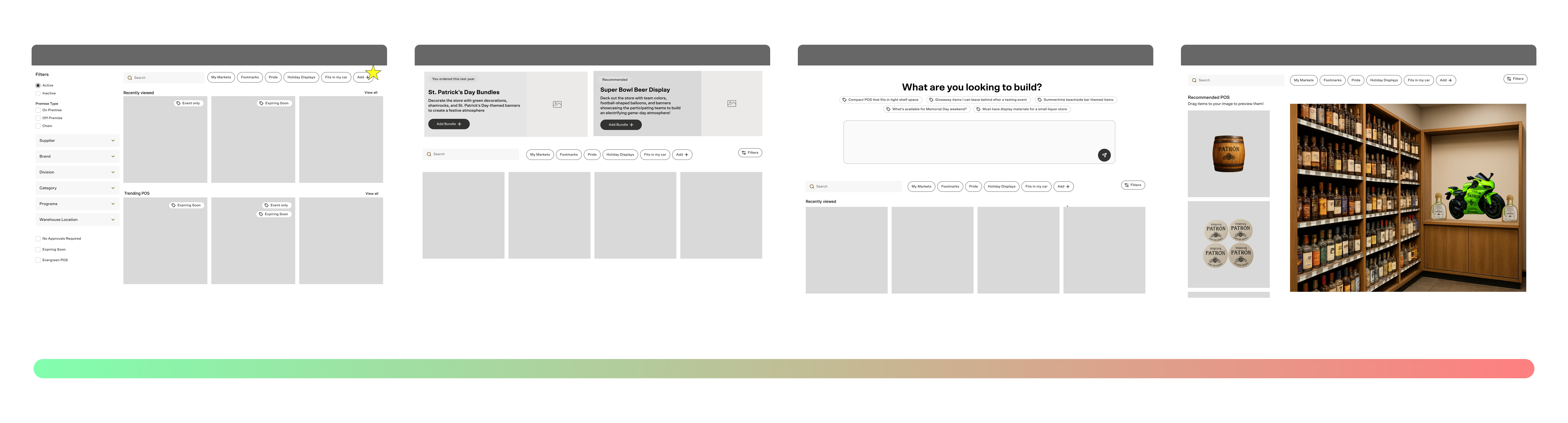
Concepts → Wireframes

Bringing the Vision to Life
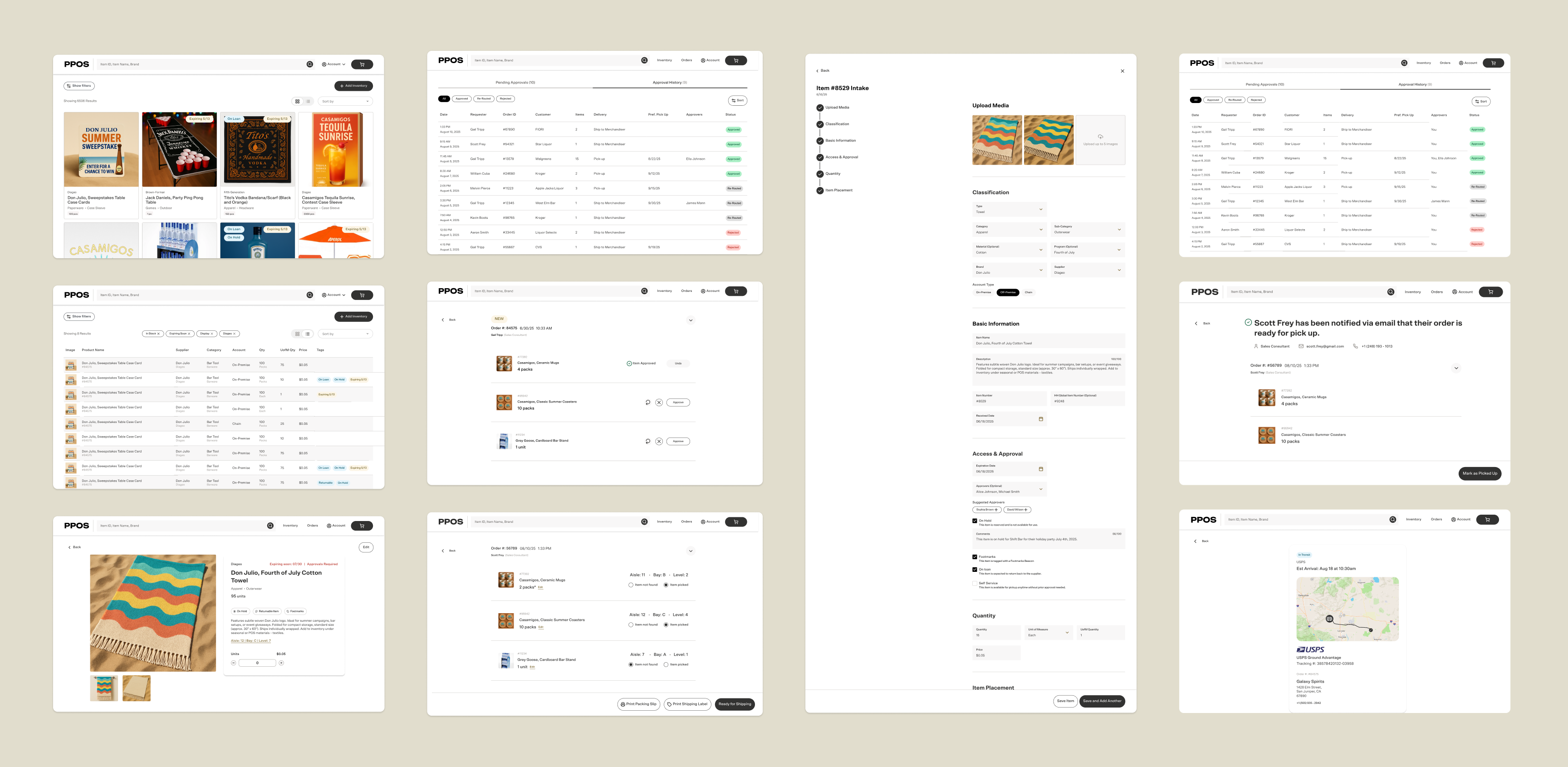
Product Detail Page
- What we heard: Warehouse managers needed more than basic item info — they needed visibility into where items were located in the warehouse and a full transaction history to report back to suppliers.
- What I designed: I designed the PDP as a modal to surface top priority details at a glance. Users can click in to view more details. I added a change log built in to create accountability across the order.
Upload an Item
- What we heard: Intake was one of the highest-friction points in the current workflow and there is 0 standardization on how it is done at every warehouse.
- What I designed: A standardized form was designed to make logging and naming items fast and consistent. I included role-based permissions so each user only sees data relevant to them, reducing noise and protecting data integrity across teams.
Testing Concepts Through Prototypes
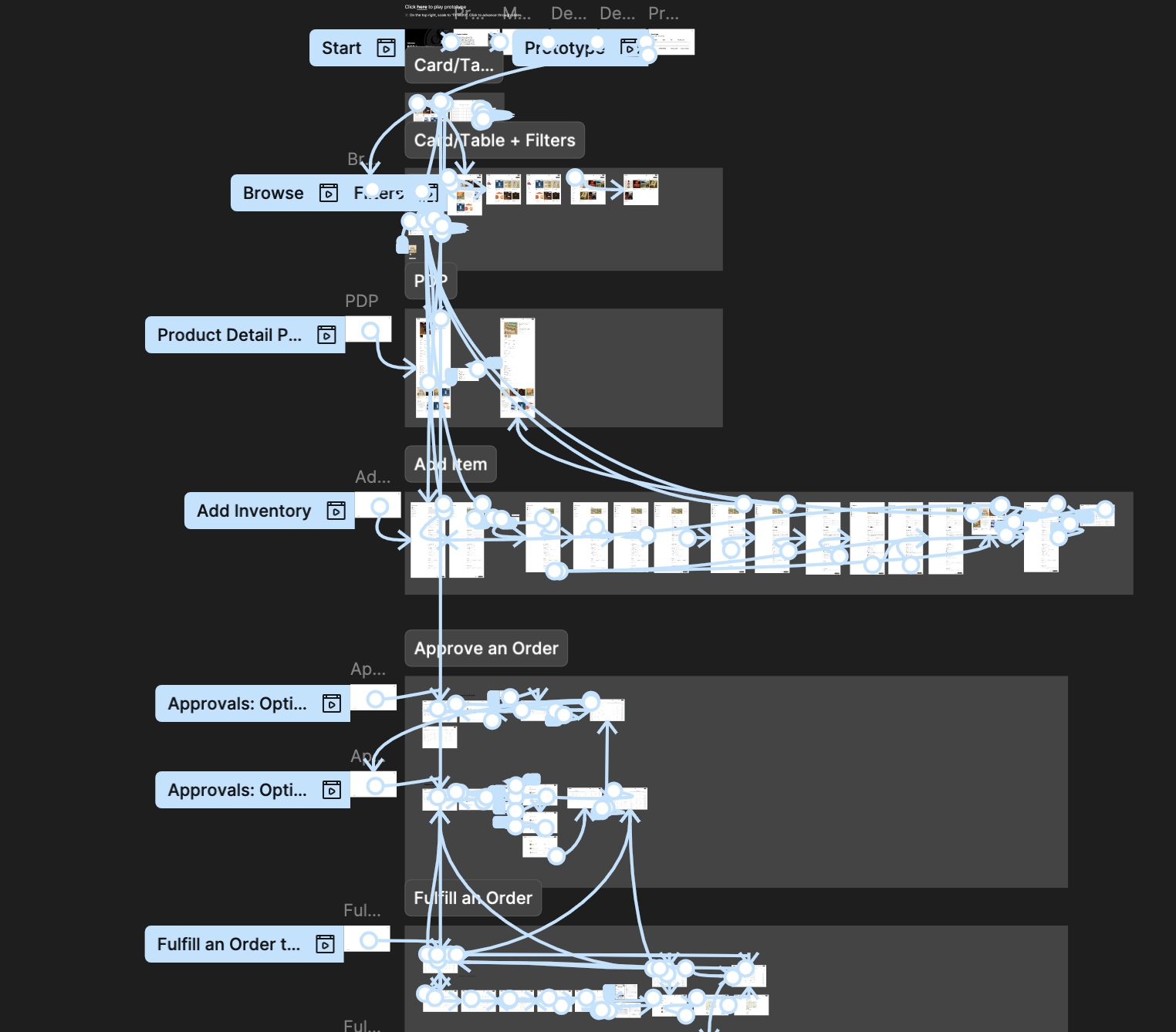
Round #1 User Feedback Session
I wrote a script and facilitated interviews with 7 Warehouse Managers from 5 states to review Card/Table view of items, Filters, and POS Intake Form.
Key Insights:
- The ideal format to view inventory depends on the context: Warehouse Managers (WHMs) prefer table views that offer dense, detailed information, while others benefit more from card views where product images stand out.
- Role-based permissions preferred to allow WHMs control visibility: WHMs want the ability to show or hide data based on user roles so each person only sees information relevant to their assigned division or warehouse.
- Item log allows for accountability and keeps the supplier informed: WHMs need visibility into where items are placed in the warehouse and a transaction history log. Especially important to report back to the suppliers.
Approve Items
- What we heard: Trade developers needed a fast, mobile-friendly way to approve orders, and warehouse managers needed clear confirmation that approvals had gone through. Approvers also flagged that they often had to chase down sales consultants to clarify order details.
- What I designed: The solution introduced a 1-click approval process and automated status notifications to eliminate manual back-and-forth communications.
Pick, Pack, and Ship Orders
Round #2 User Feedback Session
Again, with a prepared script, I facilitated interviews with 9 Warehouse Managers from 5 states and 7 Trade Developers from 2 divisions to review the PDP, Approvals, and Order Fulfillment.
Key Insights:
- Users like that the PDP is comprehensive and robustFew voiced concerns about having to manually input the data themselves.
- Approvers want access to Sales Consultants’ contact information to clarify order requests. Automatic notifications help keep both approvers and Sales Consultants aligned on status.
- WHMs pick and pack items together, going order by order.In some states, warehouse managers will only pull items when a sales consultant has arrived.
- Communication around pick-up status and unclaimed orders is key. Automatic notifications and reminders are valued to reduce manual effort.